 Revival


Player Shop
The Player Shop lets you sell items to other players while you are offline. Your character stays in the world with a purple name and a sign over its head, and buyers pay you straight into your bank account.
What you need
- A premium account.
- A Player Shop Scroll (Store → Services). Using it gives 48 hours of shop time. The time only runs while your shop is open, so you can open and close it as often as you like.
- The items you want to sell inside the backpack you are wearing (your main backpack itself cannot be sold).
Step by step
- Use the Player Shop Scroll. You will see a message with your shop time.
- Open the shop window: open your character's menu and choose Open player shop.
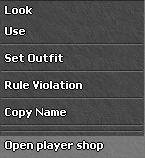
Your character's menu - Add your items: drag items from your backpack into the window and type the price of each one (gold per item).
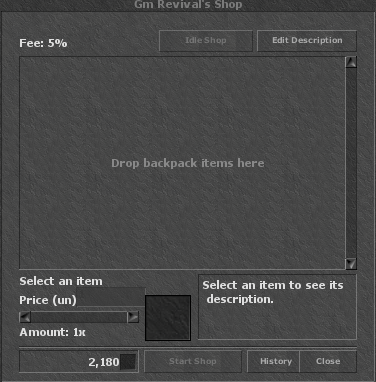
The empty shop window 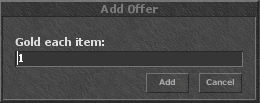
Setting the price 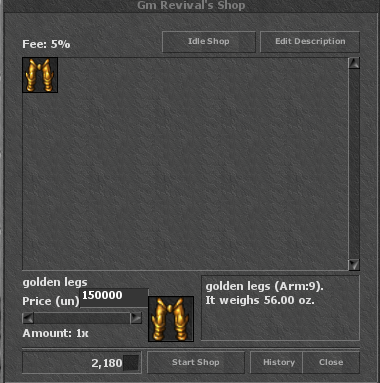
An item ready to sell - Write a sign (optional): click Edit Description. You have 2 lines of 20 characters. It shows over your head.
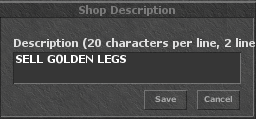
The shop sign - Open the shop: stand in a protection zone (a depot or temple, for example) with a free 3×3 area around you and not blocking a corridor. Then click:
- Start Shop to open it and stay online, or
- Idle Shop to open it and log out. Your character stays there selling while you are offline.
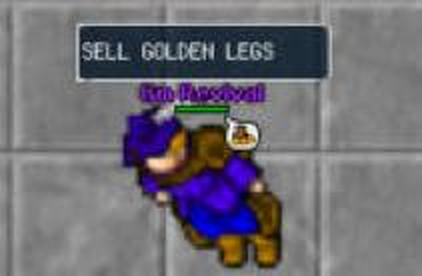
How other players see your shop
Buying from a shop
- Stand next to the seller (1 square away), open its menu and choose Open player shop.
- Pick the item and the amount and confirm. You must carry the gold with you.
Good to know
- A 5% fee is taken from each sale. The rest goes to the seller's bank.
- Prices go from 1 to 11,000,000,000 gold.
- Only one open shop per account.
- While the shop is open the character cannot move, trade, attack or use items.
- To change a price, close the shop first.
- The shop closes when its time runs out, when everything is sold, or at the server restart. Your remaining time is kept.
- History shows your past sales and purchases.